

The EDP Execution Type is primarily intended for use cases where you need to calculate all the individuals that belong in a particular Segment. For Segments of type EDP, the platform supports several authoring methods: Simple, Advanced, and Traditional. This article focuses on the Advanced authoring method.
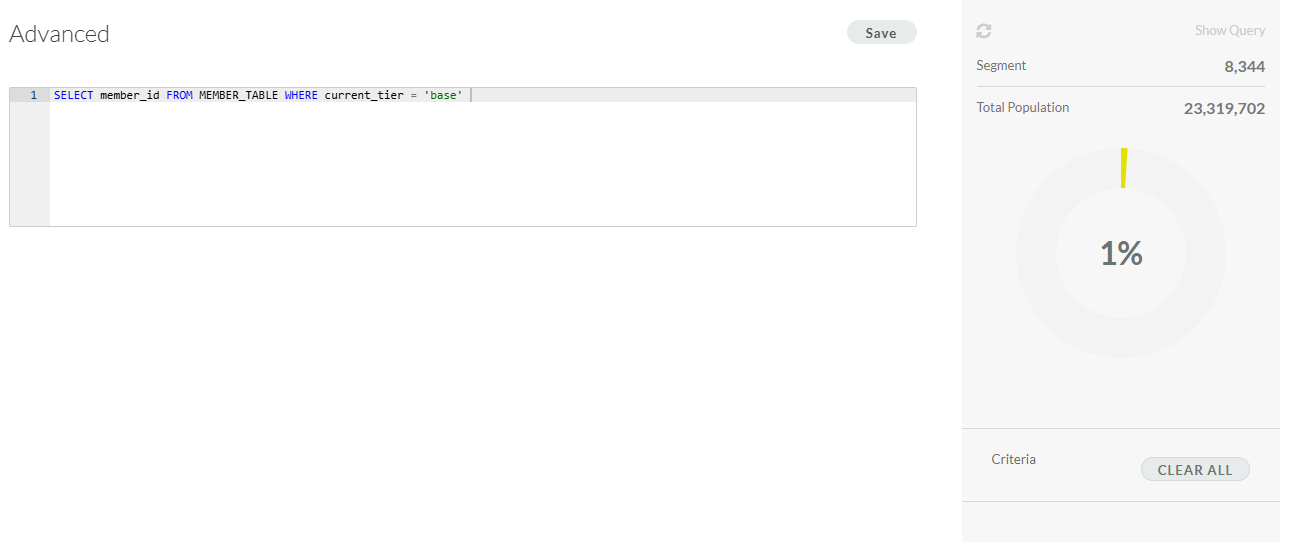
Segment Rules define the criteria for Members to be selected by this Segment. For the Advanced authoring method, the Rules tab provides a SQL code editor for entering the desired selection query.
This article assumes that you have already created the Segment, and configured its properties as follows (for more information, see
-
Execution Type: EDP
-
Authoring Tool: Advanced
To define the Segment Rules in an EDP Segment using the Advanced authoring tool:
-
Select Members from the top navigation bar, then select Segments from the side navigation menu. The Segments screen is displayed.
-
Search for and select the desired Segment (see
-
In the code editor, enter the desired expression.
-
Click Save. The platform refreshes the audit chart on the right, which indicates the number of selected Members out of the total population of your database.
Note: At any time, you can click the Refresh icon within the audit chart to update the selected Member count.
